User guide · Back to the basics
A study timer for everyone’s own desk
Follow the same remaining time from separate homes, even with meeting cameras off. One person hosts this session.
We all started at different times.
We tried to start together, but our personal timers show different times. Let’s share one timer for this session.
Find it on the actual screen
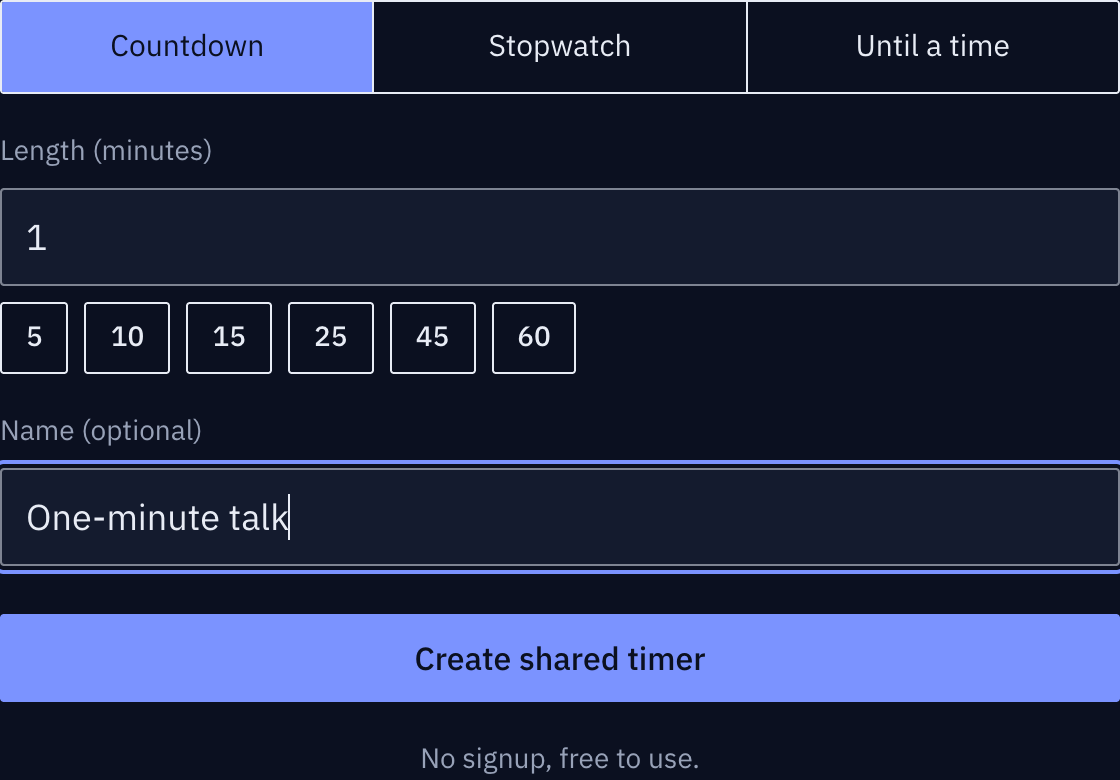
These screenshots show a closed demo room. Use the QR code and links from your own room.
Open the pinned participant link.
Pin this session’s participant link. Share the host link privately only with the person who will operate it.
Find it on the actual screen
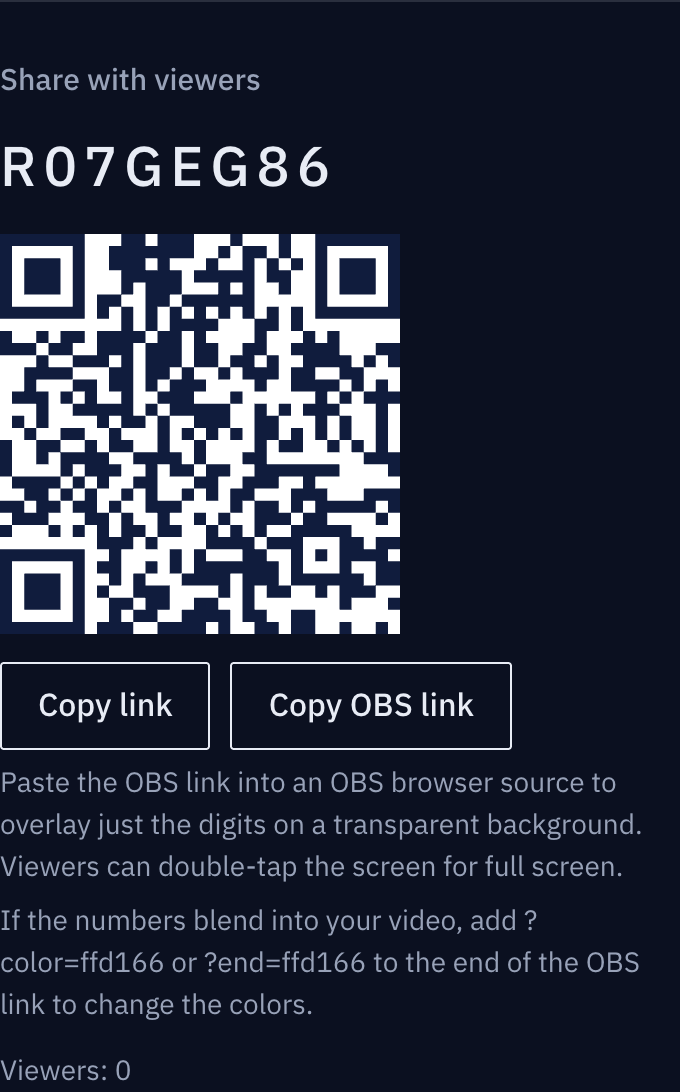
These screenshots show a closed demo room. Use the QR code and links from your own room.
I’ll start it for us.
The host presses Start once and everyone follows the remaining time. Meeting cameras can stay off.
Find it on the actual screen
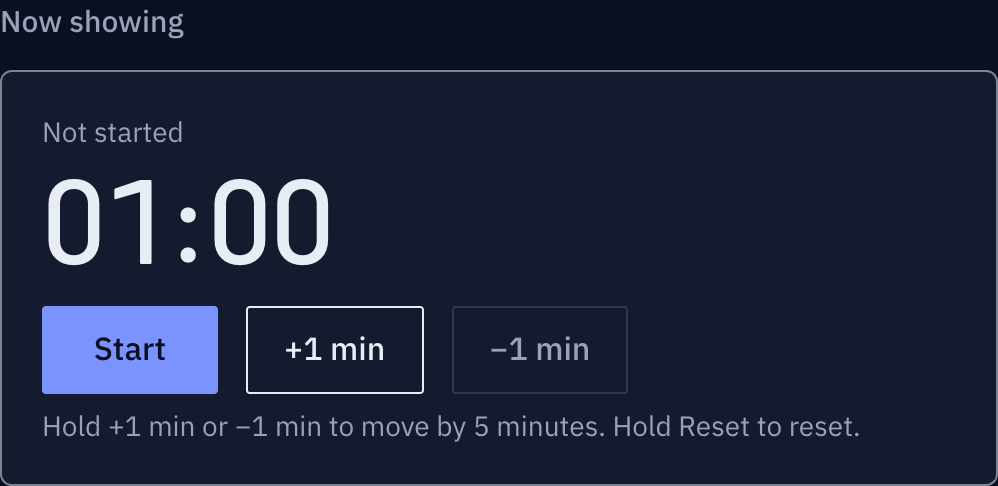
These screenshots show a closed demo room. Use the QR code and links from your own room.
Our break has run over.
The break timer, started separately by the host, also shows overtime. Once everyone is back, select and start the next focus timer.
Find it on the actual screen
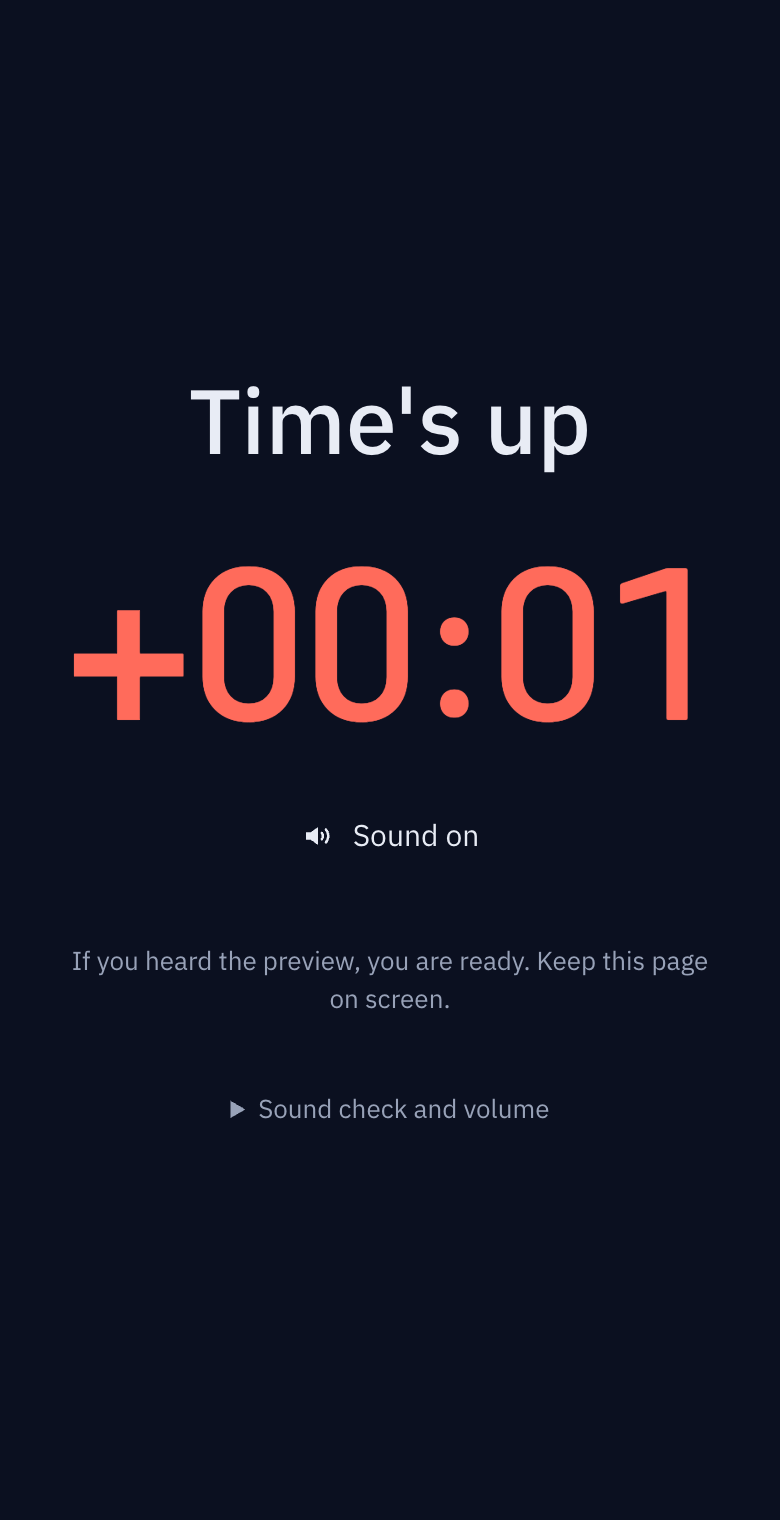
These screenshots show a closed demo room. Use the QR code and links from your own room.
The illustrations show the situation. Expand the section below each panel to see the actual buttons and screens.
Change sessions or hosts
Focus and break timers do not switch automatically. The host selects and starts the next timer. To hand over control, send the host link privately to one person. For a weekly meeting, update the pinned participant link with a new room.
Online study groups — one timer that rotates hosts without a chairperson
A study group is not a meeting. Nobody chairs it, a different person runs it each week, and half the group has the camera off. Even the person who says "25 minutes of work, then a 5-minute break" is looking at their own phone timer. Here is how to make that timer belong to the group instead of to one person.
How a group timer differs from a personal one
Alone, a timer is for you. In a group it becomes an agreement, and the usual problems look like this.
- The moment the host says "go" and the moment everyone taps their own timer differ by a few seconds. Twenty-five minutes later some people are done and some are not
- When the host steps away, nobody knows the time. A timer shared through screen sharing stops when the host's laptop sleeps
- Latecomers type "how far in are we?" into the chat and break everyone's focus
- Next week the host changes and last week's method has to be explained again
What you need is not one person's device but a timer attached to a link. Whoever controls it and whoever joins, everyone sees the same remaining time.
Set up the group's room once
- Create one room and pin the participant link in the group's notice. A chat pin, a Notion page, a Google Doc, anything. Use the same link every week. A room expires 24 hours after the host's last action, so for a weekly group the host of the week creates a new room and swaps the pinned link. A daily group keeps using one room.
- Send the host link only to this week's host. If the host link is pinned publicly, anyone can stop the timer. When the role rotates, the previous host passes the host link to the next one in a private message.
- Create the timers per session in advance. "Focus 25", "Break 5", "Presentation 10", "Questions 10". With the list ready, the host only picks the next timer and presses start.
- Everyone opens the participant link on their own screen. A phone stands on the desk; on a computer, a small window next to the problem set. Minimising the video call does not hide the timer.
Pomodoro with other people
Twenty-five minutes on, five minutes off is easier to keep with company, because you can see that others are still working. A few places tend to slip.
Matching the start is everything. Instead of everyone tapping their own timer, the host taps once. The timer shares the start time from the server, so someone who opens the link late immediately sees the current remaining time. Nobody has to restart for a latecomer.
Keep the break a break. The first sign that a group is fading is a five-minute break that nobody returns from. When the break timer reaches zero, the digits turn red and the overtime keeps climbing. When everyone can see "+03:20", people come back without being told.
Sound is each person's choice. Someone in a library or café turns it off and watches the screen; someone at home turns it on. Sound is enabled per device, so the host cannot switch it on for others. Say once before the first session: "if you want the sound, tap the sound button on your screen."
A long break after four rounds. Four blocks of 25 minutes, then a 15 to 30 minute break, is the original method. Make the long break its own timer so nobody asks "is this the long one?"
Presentation-style groups
Paper readings, code reviews and interview practice are one person speaking while the rest listen. The speaker needs to see the time.
- The speaker watches the timer on their own screen. Nobody has to interrupt with "one minute left"
- Give questions their own timer. When "Questions 5" ends, there is a clear point to move on
- For interview practice, reuse "Answer 2" many times. To start over, long-press [Reset]
When the host steps away
The timer keeps running on the server. Even if the host's screen is closed, participant screens keep showing the remaining time. If someone needs to start the next session, hand the host link to one other person in advance. A room may have two hosts.
Common problems
"My screen is a few seconds behind." A screen that was in the background re-syncs the moment it comes back, and catches up within seconds. If it still differs, refresh once.
The pinned link says "room not found". The room expired 24 hours after the host's last action. This week's host creates a new room and updates the notice. An expired link does not recreate the room.
The host link is lost. In the same browser, return from My timers on the home page. On another device, ask the previous host for it again, or use the recovery password set when the room was created.
Checklist
- The participant link is pinned in the group notice
- Only this week's host has the host link
- Focus, break, presentation and question timers exist in advance
- Everyone has been told once that sound is per device
- Everyone knows the room expires 24 hours after the host's last action, and who creates the next one